Archives · On-device · 30+ formats
Need just ONE file from a ZIP?
Open the ZIP. Preview every file inside. Save just the files you need. No upload, no ads, no signup — and a thumbnail for every image, PDF, video, spreadsheet, and document.
Save just contract.pdf. Leave the other 599 behind.
Trusted since 2004 · Used by teams at Stanford · Virgin Media · UNC Chapel Hill · BBB A+ rated
You got a ZIP with 600 files. The licence key is in one of them. Or it's the third photo from a wedding album. Or it's that one PDF buried in a project archive. Most online unzip tools force you to extract everything before you can even look — and three of the top results push ads, CAPTCHA challenges, or browser-extension installs at you on the way through. This page shows you every file in the archive at a glance and lets you save only the ones you actually need.
Preview Every File
Real thumbnails for images, PDFs, videos, Office docs, CSVs, code, MP3 album art — 30+ formats covered. See what's inside before you decide.
Cherry-Pick
Tick the boxes, click Save selected. Save just the files you need. Don't flood your Downloads folder with 600 files when you only need 3.
100% Private
Your ZIP never leaves your computer. Disconnect Wi-Fi after the page loads — it keeps working. Safe for HIPAA, GDPR, confidential work.
No Ads. No CAPTCHA.
No "AD" banners. No Cloudflare challenge. No browser-extension upsell hiding behind a "Download" button. Open, peek, save, done.
Real thumbnails vs. a plain list of filenames.
Drop the same ZIP — full of images, PDFs, Office docs, spreadsheets, and source code — into us and into a competitor. Here's what the file list looks like on each:
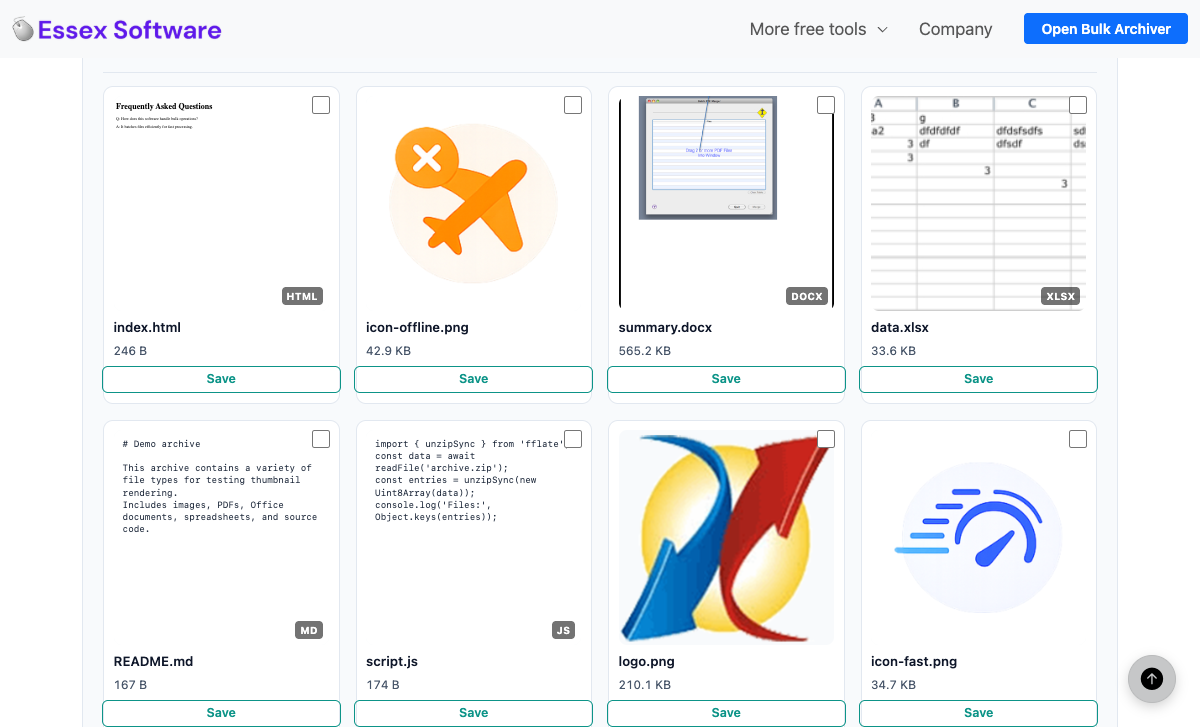
Every file gets a real preview. HTML renders as a real page. DOCX shows the embedded Word thumbnail. XLSX shows actual cells. README.md and JS show real first lines. Images render natively. You can tell which file is which without saving anything.
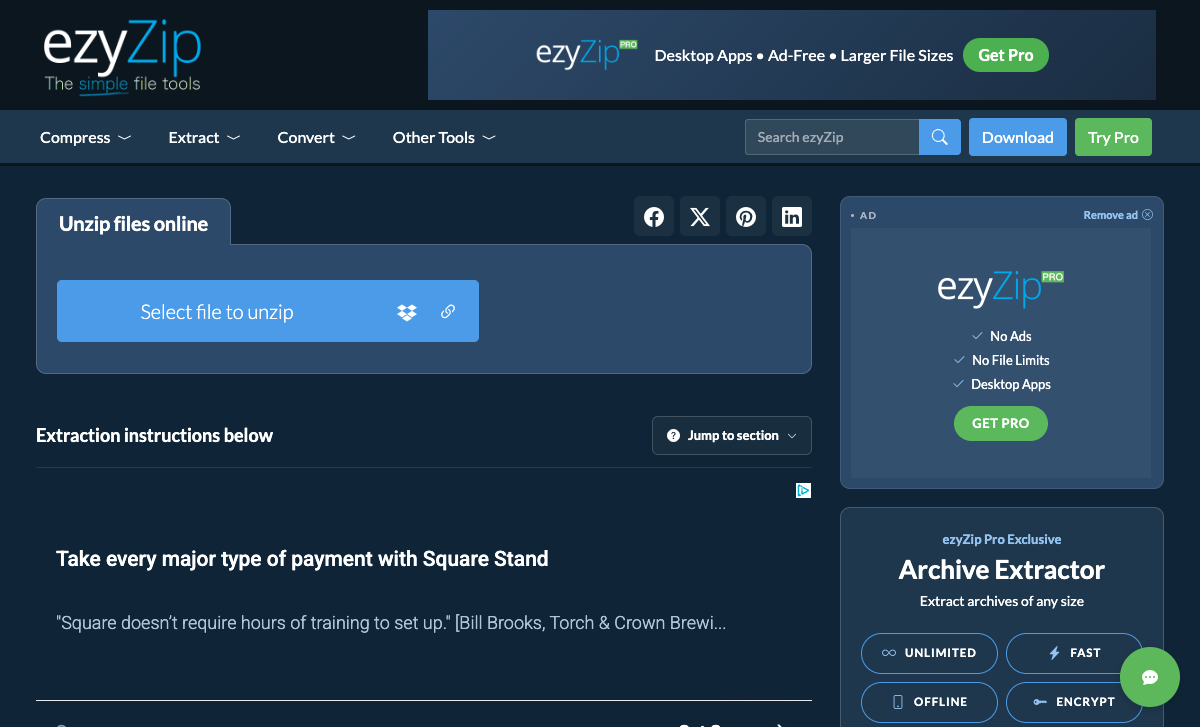
No file thumbnails at all — and the page above the fold is dominated by two ad units that ezyZip literally labels "AD" themselves, plus a "Get Pro" upsell promising an ad-free experience.
Chapter IIHow this compares to ezyzip, files2zip, ilovezip
The top three Google results for "unzip files online" — checked the same day this article was published. Each row is a real, verifiable observation.
| What you get | This page | ezyzip.com | files2zip.com | ilovezip.com |
|---|---|---|---|---|
| Thumbnails for every file | Yes — 30+ formats | No | No | No |
| Display ads on the page | None | Multiple "AD" units | Browser-extension upsells | Browser-extension upsells |
| "Get Pro" / paid-upgrade nag | No | Yes ("Ad-Free / Larger Files") | No (but pushes "Download Extension") | No (but pushes "Download Extension") |
| Cloudflare / CAPTCHA gate | None | None | None | Yes (__cf_chl_f_tk) |
| Cherry-pick / multi-select save | Yes — Save selected (N) | One file at a time | One file at a time | One file at a time |
| Files leave your device | No — verifiable | No (per their claim) | No (per their claim) | No (per their claim) |
| Works offline once loaded | Yes — disconnect Wi-Fi | Partially | Partially | No (Cloudflare check) |
| Signup / account required | No | No | No | No |
Methodology. We ran each site in a clean incognito window with no extensions installed, on a 100 Mbps connection. "Display ads" counts only banners visibly labelled as advertising or third-party ad-network units (e.g. ezyZip's own "AD" / "Remove ad" labels). "Browser-extension upsells" counts download CTAs that install a Chrome extension. Counts are minimums — additional ad slots may show on first visit before ad-block / consent dismissal.
Chapter IIIWhat gets a thumbnail (and what doesn't)
Every file in the archive renders into a tile. For the formats below, the tile shows actual content — not just an icon. Everything else falls back to a typed file-icon with the extension visible so you can still scan the list.
Images
JPG, PNG, GIF, WebP, BMP, SVG, AVIF, ICO. HEIC renders in Safari.
First page rendered with pdf.js — actual page content, not a generic icon.
Video
MP4, MOV, WebM, M4V, OGV — first frame captured to a canvas.
MP3
Embedded album art extracted from the ID3v2 APIC frame.
Spreadsheets
CSV + XLSX rendered as a mini spreadsheet with column headers and row numbers.
Documents
DOCX rendered as a page of body text (uses embedded thumbnail if present).
PowerPoint
PPTX uses the embedded slide thumbnail (almost always present in modern files).
Code & text
50+ extensions — JS, TS, PY, GO, RB, HTML, CSS, MD, YAML, JSON, etc. First lines visible.
HTML
Rendered inside a sandboxed iframe so you see the actual page, not raw markup.
RAW / TIFF
Image placeholder card (browsers can't decode these natively).
Chapter IVWhy open a ZIP without uploading it?
It's faster, more private, and — once you can preview every file — it solves a different set of problems than "extract everything":
Just need one file? Spot the licence key, save it, done. No 600-file Downloads explosion.
Got a photo dump from a friend? Preview the photos, save only the three you actually want printed.
Auditing a project handover? See what's inside without committing the whole thing to disk.
Confidential archive? Don't ship payroll or HR ZIPs to a random server — open them locally.
Chapter VHow to unzip a file online
- Open the tool. Visit essexsoftware.com/unzip-online in any modern browser. No install, no signup, no extension.
- Drop the .zip. Drag the archive onto the dropzone or click "Choose .zip File". It's read locally — disconnect Wi-Fi after the page loads and the tool keeps working.
- Preview every file. Each entry in the ZIP gets a thumbnail. Real image previews for photos, first-page renders for PDFs, first-frame captures for videos, spreadsheet previews for CSV/XLSX, document text for DOCX, code excerpts for source files, and album art for MP3.
- Cherry-pick. Tick the checkboxes on the files you want, click Save selected. Or click Save on a single card. Or click Save all if you really do want everything.
Chapter VIFAQ
How do I unzip a file online without uploading it?
Use a browser-based unzip tool that reads the archive locally. Your browser opens the .zip on your own computer — no upload step, no server-side extraction. You can verify by disconnecting from Wi-Fi after the page loads; the tool keeps working. Many "online unzip" tools, by contrast, upload your archive to their server first.
Can I see what's inside a ZIP before saving anything?
Yes — that's the whole point of this page. Every file in the archive gets a real thumbnail: image previews for JPG/PNG/GIF/WebP/SVG, first-page renders for PDFs, first-frame captures for MP4/MOV/WebM, spreadsheet previews for CSV/XLSX, document text previews for DOCX, code previews for HTML/JSON/CSS/JS/Python/etc., and embedded album art for MP3. You see what's in the archive before deciding which files matter.
Can I extract just one file from a ZIP, not all of them?
Yes. Tick the checkbox on the file you want and click Save selected. No more "Extract All" that explodes a 600-file ZIP into your Downloads folder when all you needed was one PDF. Multi-select works too — pick 3 files, get 3 files.
Is there a file size limit?
Your browser's RAM is the only practical limit. Modern desktops handle multi-gigabyte ZIPs without issue. Server-based unzip tools usually cap the free tier at 500 MB or 2 GB — none of that applies here because nothing is uploaded.
Does this work with password-protected ZIPs?
Not yet — password-protected ZIPs are on the roadmap. For now, use 7-Zip on desktop, the unzip command in macOS Terminal, or any other archive tool to handle encrypted archives. This tool reads standard unencrypted ZIPs created by every other archive program.
What about RAR or 7z files?
ZIP only in the current version. RAR and 7z use different compression algorithms and would need separate decoders. For now, use 7-Zip (Windows / Linux) or The Unarchiver / Keka (macOS).
Why are ads everywhere else and not here?
Most "online unzip" tools monetize through display ads and browser-extension upsells because they own a server doing the work. Our tool runs entirely in your browser — no server, no bandwidth cost, no business reason to put ads in front of you. ezyZip labels their ad units "AD" on the page itself; files2zip and ilovezip push browser-extension installs alongside the unzip widget. None of that here.
What ZIP format does it support?
Standard PKZIP with DEFLATE compression and ZIP64 extension. Reads ZIPs created by macOS Archive Utility, Windows Explorer, 7-Zip, WinRAR, WinZip, and every other common archive tool. Not encrypted ZIPs (yet), not RAR, not 7z.