
Microsoft Lens Alternatives After the OneDrive Transition
Microsoft has been shifting Lens's role toward built-in OneDrive scanning. If you used Lens as a standalone scanner, here are six iPhone alternatives compared on what they actually require.
What's happening with Lens
Microsoft has been rolling the document-scanning feature directly into the OneDrive mobile app, and signaling that Office Lens / Microsoft Lens will see reduced investment going forward. The Lens app still works for now, but the long-term replacement is OneDrive's built-in scanner, which assumes you're already a OneDrive user.
Why people are looking for an alternative
Microsoft Lens was unusual in the scanner category: free, with OCR, no upsell. The reasons people are looking for a replacement now are mostly about where Microsoft is going:
- Lens is being folded into OneDrive. If you weren't using OneDrive before, the migration path effectively asks you to start.
- The OneDrive scanner is feature-light. Compared to Lens's whiteboard / business card / document modes, the built-in scanner in OneDrive does the basics and not much else.
- Microsoft account still required. If the account requirement was already a friction point, the OneDrive-only path makes it worse.
- Everything goes to OneDrive. No local-only option.
For Microsoft 365 customers, the transition is fine. For everyone who used Lens as a free, standalone scanner, it's a reason to look elsewhere.
What to look for in an alternative
Four questions for the next app:
- Free OCR? This was Lens's strongest card, surprisingly few alternatives match it without a subscription.
- Does it require an account? Lens did (Microsoft); some alternatives don't require any.
- Where do scans go by default? Lens defaulted to OneDrive; some alternatives keep everything local.
- One-time, subscription, or free with paid upgrade? All three exist.
The alternatives, ranked by who they're best for
1. Scaniva, best for "Lens, but without the Microsoft account"
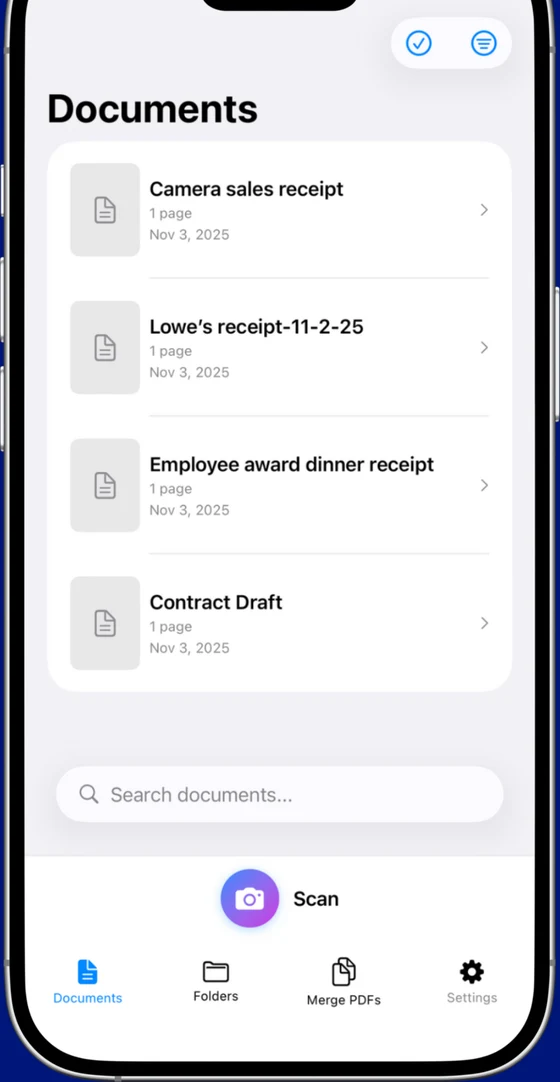
Free tier includes OCR (all 14 languages, first 10 scans) and every scan mode, document, business card, ID, receipt, whiteboard, without any sign-in. $12.99 one-time premium adds unlimited scans. Nothing goes to a cloud because there is no cloud component.
- 14-language OCR, PDF merge, 80% compression, all scan modes
- Works fully offline, no Microsoft account, no Adobe ID, no anything
- From Essex Software, an established US developer (Charlotte, NC, 22 years in business, A+ BBB)
- iOS only (no Android)
- No cross-device sync (intentional, there's no cloud)
2. Genius Scan, best for free-tier purists
The closest match to Lens's "no upsell" feel, clean free tier, no watermarks, no account, no cloud. The catch is that Genius Scan pulled OCR into the paid plan. If you don't need OCR, this is the most honest free scanner in the category.
- Genuinely usable free tier with clean exports
- Mature app, very stable, iOS + Android
- No OCR on free tier (this was Lens's main feature)
- Premium is annual subscription, not one-time
3. Adobe Scan, best for heavy Acrobat users
Free OCR, which matches Lens, but you're swapping a Microsoft account for an Adobe ID. Scans default to Document Cloud (Adobe's equivalent of OneDrive). Most editing and combining features push you toward Acrobat Premium at $9.99/month.
- Excellent OCR quality (Adobe's been doing this for 30 years)
- Free tier is genuinely usable for scanning
- Adobe ID required just to open the app
- Premium features cost more than most subscription scanners
4. CamScanner, most users, biggest tradeoffs
Huge install base. Required account, watermarks on free exports, and aggressive subscription pricing. The opposite of Lens's "free with OCR, no upsell" model. Worth knowing about; not what most Lens users want.
- Largest user base, lots of templates and document types
- Mature app with extensive feature set
- Required account, cloud sync on by default
- Watermark on free tier; recurring pricing
5. iScanner, flashy but expensive
No account required, which is a plus over Lens. But the 3-day trial auto-converts to an annual plan and the free tier watermarks exports. If "free with OCR" is what brought you to Lens originally, this isn't a match.
- Polished interface, well-rated
- Niche features like object counting and measurement
- Free trial converts to annual, easy to miss the cancel window
- Watermarks on free exports
6. The built-in iOS scanner, best for one-offs
iOS Notes and Files both have "Scan Document" built in. Free, no account, no watermark, no cloud, but also no OCR, no business-card or receipt modes, and no organization beyond regular files. Functionally similar to OneDrive's built-in scanner, minus the OneDrive part.
The honest TL;DR
If Lens worked for you because it was free, had OCR, and stayed out of your way, the closest replacement is Scaniva ($12.99 once, OCR included, no account) or Adobe Scan if you don't mind an Adobe ID. If you don't need OCR, Genius Scan's free tier is the cleanest. If you're a Microsoft 365 customer, the new OneDrive built-in scanner is fine, just narrower than Lens was.
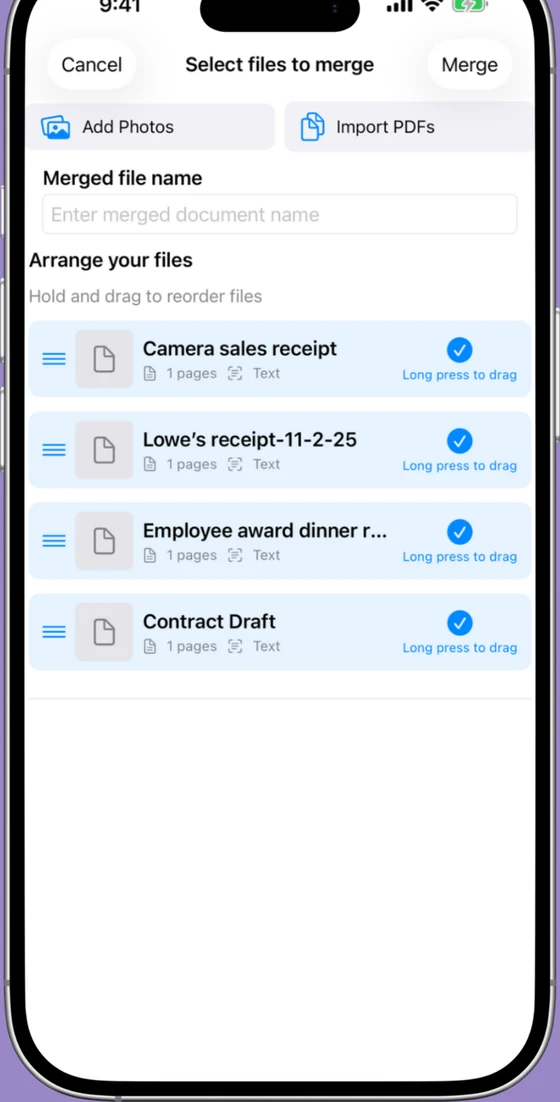
Try Scaniva, Lens-style scanning, no Microsoft account
Free tier with OCR, full feature set offline, $12.99 one-time to unlock unlimited. Built for "I just want to scan a document."
 On desktop? Scan to install on your iPhone.
FAQ
Is Microsoft Lens being discontinued?
The Lens app still works as of 2026, but Microsoft has been signaling a transition: the document-scanning feature is being built directly into the OneDrive mobile app, and Lens itself has seen reduced product investment. Most observers expect the standalone Lens app to be wound down over time in favor of OneDrive scanning.
What replaced Microsoft Lens / Office Lens?
Microsoft's official answer is OneDrive's built-in scanner, open the OneDrive app, tap the camera icon. It handles basic capture and OCR but doesn't have Lens's specialized modes (whiteboard, business card, document). For a closer match to standalone Lens, you need a third-party app, Scaniva, Genius Scan, Adobe Scan, or similar.
Is there a free Microsoft Lens alternative with OCR?
Adobe Scan is free with OCR (Adobe ID required). Scaniva's free tier includes OCR in all 14 languages for your first 10 scans with no account at all. Most other "free" scanners either lack OCR (Genius Scan) or watermark exports (iScanner, CamScanner).
Can I export my old Lens scans before switching?
Yes. Open Microsoft Lens, tap each scan, and use the share sheet to save to Files or send to your preferred destination. If your scans were syncing to OneDrive, they're already there. After exporting, you can delete the Lens app cleanly.
What's the cheapest Lens alternative long-term?
Over 5 years: $12.99 one-time Scaniva is $12.99. Free with account = $0 (Adobe Scan, Microsoft Lens, the iOS built-in scanner). $39.99/year subscription apps run to $200 over 5 years. If you want OCR without a subscription and without an account, Scaniva is the only one in that exact intersection right now.