
Adobe Scan Alternatives That Don't Require an Adobe ID
Six scanner apps for iPhone compared on the things you only notice once you've installed Adobe Scan: account friction, Document Cloud uploads, and what's actually free vs what's an Acrobat upsell.
Why people are looking for an alternative
Adobe Scan has excellent OCR, Adobe has been doing optical character recognition for 30 years and it shows. But the friction comes from everything around the scanner:
- Adobe ID required before the camera opens. You can't take a single scan without signing in to (or creating) an Adobe account.
- Document Cloud sync is on by default. Scans go to Adobe's servers unless you explicitly turn it off, and the toggle isn't where most people look.
- The Acrobat Premium upsell. The moment you want to combine PDFs from outside the app, edit text, or compress, you're being pushed toward Acrobat Premium at $9.99/month. For a scanner.
If you already pay for Creative Cloud, none of this matters, you're inside the ecosystem. For everyone else, it's a lot to accept just to digitize a receipt.
What to look for in an alternative
Four questions for the next app:
- Does it work without an account? Several scanners do, Adobe Scan, Microsoft Lens, and CamScanner don't.
- Where do scans default to? Some stay on-device; others upload to the developer's cloud.
- Is OCR free or paid? Adobe gives you OCR free (with an Adobe ID); Genius Scan does not.
- Monthly, annual, or one-time? A $9.99/month subscription is $599 over 5 years. A $12.99 one-time purchase is $12.99.
The alternatives, ranked by who they're best for
1. Scaniva, best for people who just want to scan and move on
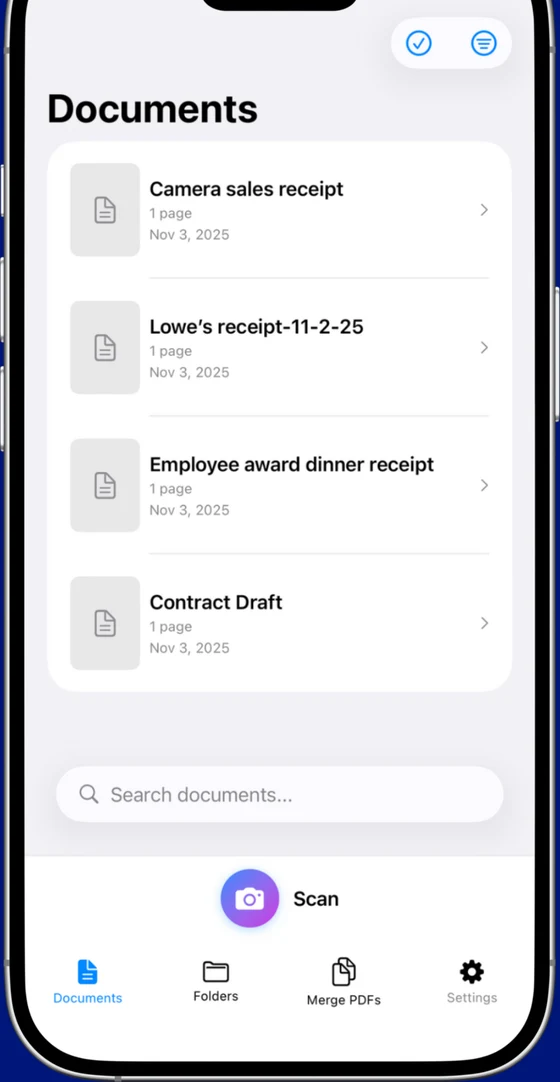
Open the app, take a scan, export. No Adobe ID, no Microsoft account, no Document Cloud sync, no monthly bill. Free tier includes 10 scans to start (no monthly reset) with OCR in all 14 languages and every scan mode (document, business card, ID, receipt, whiteboard). $12.99 one-time removes the limits.
- 14-language OCR, PDF merge, 80% compression, all scan modes
- Fully offline, nothing leaves the device because there's no cloud component
- From Essex Software, an established US developer (Charlotte, NC, 22 years in business, A+ BBB)
- iOS only (no Android)
- No cross-device sync (intentional, there's no cloud)
2. Genius Scan, best for free-tier purists
The veteran of the no-subscription scanner crowd. Genius Scan has a clean free tier with no watermarks, no account, and no cloud upload, but they pulled OCR into the paid plan. Premium is $39.99/year and adds OCR, cloud sync, and batch features.
- Genuinely usable free tier with clean exports
- Mature app, very stable, iOS + Android
- No OCR on free tier
- Premium is annual subscription, not one-time
3. Microsoft Lens, best if you already use OneDrive
The Adobe Scan story rerun for Microsoft. Free with OCR, but it's really an extension of OneDrive, Microsoft account required, scans default to syncing there. If you're a Microsoft 365 customer this is a no-brainer; if not, you're swapping one ecosystem for another.
- Genuinely free with OCR, no paid tier upsell
- Direct OneDrive, Word, and Excel integration
- Microsoft account required
- Defaults push everything into Microsoft's cloud
4. CamScanner, most users by far, but bring an account
Huge install base, lots of templates and modes, very mature feature set. But it has the same account-required model as Adobe Scan plus a more aggressive subscription pitch and watermarks on the free tier. Solves none of the problems people are leaving Adobe Scan for.
- Largest user base, lots of templates and document types
- Mature app with extensive feature set
- Required account, cloud sync on by default
- Watermark on free tier; recurring pricing
5. iScanner, flashy but expensive
No account required (a plus over Adobe Scan), but the 3-day "free trial" auto-converts to an annual plan and watermarks free exports. Worth knowing about; not the answer for anyone trying to avoid subscriptions.
- Polished interface, well-rated
- Niche features like object counting and measurement
- Free trial converts to annual, easy to miss the cancel window
- Watermarks on free exports
6. The built-in iOS scanner, best for one-offs
iOS Notes and Files both have a "Scan Document" function. No app, no account, no watermark, no cloud. Downsides: no OCR, no batch organization, no business-card or receipt modes. Fine for the occasional one-page scan; not a workflow.
The honest TL;DR
The shortest path away from Adobe Scan's account requirement is Scaniva ($12.99 once, no sign-in) or Genius Scan's free tier if you can live without OCR. If your problem isn't the Adobe ID but the Acrobat Premium upsell, Microsoft Lens gives you free OCR, just with a Microsoft account instead.
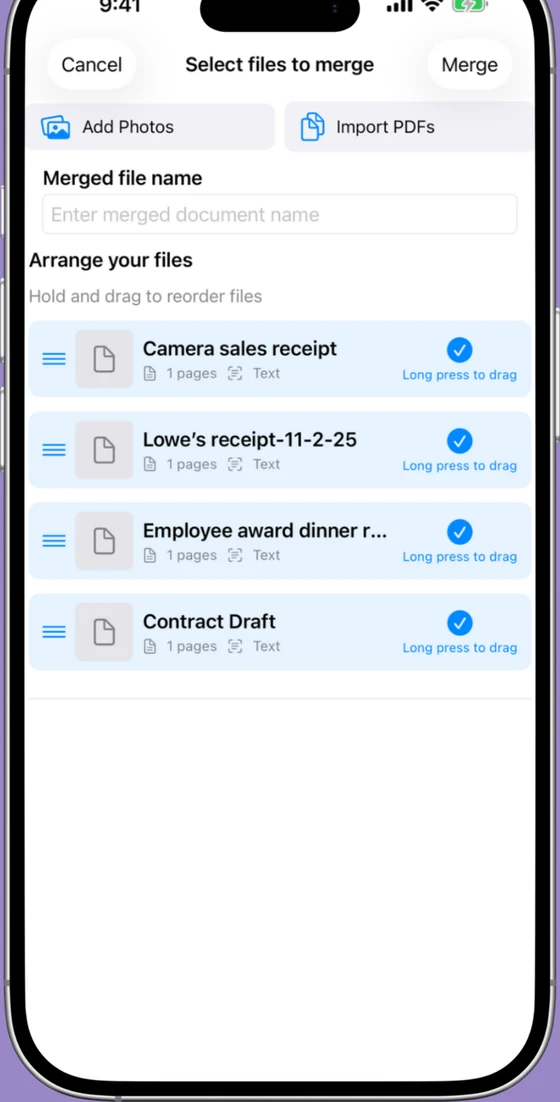
Try Scaniva, no Adobe ID, no Document Cloud
Free tier with OCR, full feature set offline, $12.99 one-time to unlock unlimited. Nothing syncs anywhere because nothing has to.
 On desktop? Scan to install on your iPhone.
FAQ
Can I use Adobe Scan without an Adobe account?
No. The app requires Adobe ID sign-in before the camera will open. If you don't want to create an Adobe account, you need a different scanner, Scaniva, Genius Scan, iScanner, and the built-in iOS scanner all work without an account.
Is Adobe Scan really free?
Basic scanning, OCR, and PDF export are free with an Adobe ID. Most features past that, combining PDFs from outside the app, editing text, compressing files, push you toward Acrobat Premium at $9.99/month. The free tier is a real product, but it's narrower than it looks at first.
How do I stop Adobe Scan from uploading to Document Cloud?
Inside Adobe Scan: tap your profile icon › Preferences › turn off automatic cloud upload. Scans are still synced through Adobe servers for OCR processing, though, if you want fully local processing, you need an app that runs OCR on-device.
What's the best free Adobe Scan alternative with OCR?
Microsoft Lens is free with OCR (Microsoft account required). Scaniva's free tier includes OCR in all 14 languages for your first 10 scans with no account. Genius Scan's free tier has no OCR.
What's the cheapest scanner app long-term?
Over 5 years: $12.99 one-time Scaniva is $12.99. $39.99/year subscription is $200. $9.99/month Acrobat Premium is $599. The math heavily favors one-time pricing unless you're using premium PDF editing features outside scanning.