
Evernote Scannable Alternatives Now That It's $49.99/Year
Scannable was the app you recommended to everyone: point it at paper, it captured instantly, you shared the scan and moved on. That app is effectively gone. Here's what happened, and five scanners that still respect the workflow.
What happened to Scannable
For almost a decade, Scannable was the answer to "what's the fastest way to scan something on an iPhone." Free, no account, auto-capture the moment you pointed the camera, and a share sheet right after. It built up 418,000+ ratings at 4.9 stars doing exactly one thing well.
Then the business around it changed:
- January 2023 Evernote is acquired by Bending Spoons, the Milan-based company known for converting acquired apps to aggressive subscription pricing.
- May 2024 Scannable 3.0 ships. Core export and sharing features move behind a subscription: $2.99/week or $49.99/year. Reviewers report the app "all of a sudden started telling me that I had to have professional, as if there was no longer a free version."
- December 2024 Version 3.2.4 — the last update the app has received as of mid-2026. Users on Evernote's own forum are asking each other for replacement recommendations.
So no, Scannable hasn't been formally discontinued. It's arguably something worse: still on the App Store, still charging $49.99/year, and showing no sign of active development. The one-tap scan-and-email flow it was loved for now runs through an Evernote sign-in and in-app storage.
Before you switch
If you subscribed to Scannable and want out: Settings › your name › Subscriptions on your iPhone, then cancel there. Deleting the app does not cancel the subscription.
What made Scannable good — and what to demand from a replacement
Scannable refugees aren't looking for the most features. The bar is the workflow:
- Speed to capture. Open, point, done. No mode-picking ceremony before every scan.
- No account wall. The original Scannable never asked you to sign in. Several "free" scanners today gate the camera behind a Microsoft, Adobe, or Evernote login.
- Share and forget. Scan goes to Mail, Messages, or Files immediately — not into a proprietary in-app library.
- Honest pricing. Free, or paid once. After watching a free app turn into $49.99/year, most ex-Scannable users are done with subscriptions on principle.
The alternatives, ranked by who they're best for
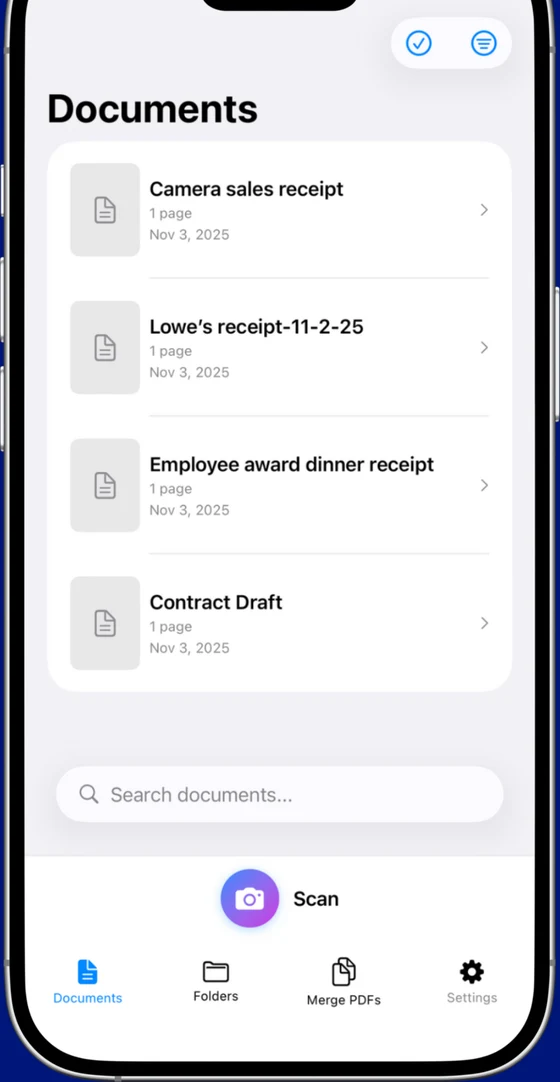
1. Scaniva, best for "one and done" buyers
The pricing model Scannable should have adopted. Free tier includes 10 scans to start (no monthly reset) with OCR in all 14 languages, all 5 scan modes, and exports without uploading anywhere. Premium is a flat $12.99 to remove the limits — no subscription, no Evernote account, no cloud sync. Auto-capture grabs the page the moment edges are detected, then hands you the standard iOS share sheet.
- 14-language OCR, PDF merge, 80% compression, business card / ID / receipt scan modes
- Works fully offline — there's no server because there's no cloud component
- From Essex Software, an established US developer (Charlotte, NC, 22 years in business, A+ BBB)
- iOS only (no Android)
- No cross-device sync (intentional, there's no cloud)
2. Genius Scan, closest to the old Scannable spirit
If you want the closest free equivalent to 2019-era Scannable, this is it: fast capture, no account, no watermark, clean exports. The catch is that OCR moved to the paid plan years ago, and the paid plan is a $39.99/year subscription — the same pricing shape you just left.
- Genuinely usable free tier with clean exports
- Mature app, very stable, iOS + Android
- No OCR on free tier
- Premium is annual subscription, not one-time
3. The built-in iOS scanner, best for occasional one-offs
If your Scannable usage was one page every few weeks, you may not need a scanner app at all. iOS Notes and Files both have a "Scan Document" function built in — no install, no account, no watermark. There's no OCR, no batch organization, and no receipt or business-card modes, but for a signature page headed to email it's genuinely enough.
4. Microsoft Lens, free OCR if you'll sign in
Free with real OCR and no paid tier to upsell you — but it's built as a front-end for OneDrive, scans default to syncing there, and you need a Microsoft account to use it at all. That account wall is exactly what Scannable users spent a decade avoiding, so know what you're trading.
- Genuinely free with OCR, no paid tier
- Direct OneDrive, Word, and Excel integration
- Microsoft account required
- Defaults push everything into Microsoft's cloud
5. Adobe Scan, free with an Adobe ID
Excellent OCR and a usable free tier, but you sign in with an Adobe ID before you scan anything, and the app funnels toward a $9.99/month Acrobat Premium subscription for editing and combining. Fine if you're already in the Adobe ecosystem; heavy if you just want Scannable's point-and-share.
- Excellent OCR quality
- Free tier is genuinely usable for scanning
- Adobe ID required just to open the app
- Premium features cost more than most subscription scanners
One trap to avoid
Don't replace one subscription ambush with another. Several heavily-advertised scanners run a 3-day "free trial" that auto-converts to an annual plan — the same pattern that soured Scannable. If an app asks for payment details before your first scan, that's your answer.
The honest TL;DR
Scannable's core idea — instant capture, instant share, no strings — is still a great idea; only the business model around it broke. If you scan regularly and want that workflow with modern OCR, Scaniva at $12.99 once is the direct successor to what Scannable's pricing should have been. If you scan rarely, the built-in iOS scanner costs nothing and is already on your phone. If you need a free tier with no account and can live without OCR, Genius Scan is the veteran choice.
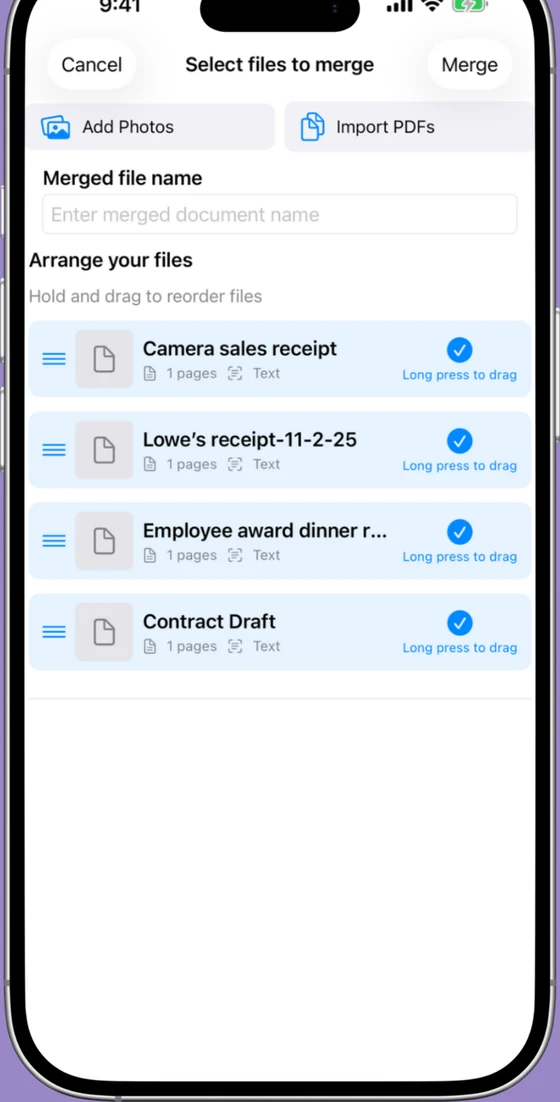
Try Scaniva — the Scannable workflow, priced like 2014
Auto-capture, OCR, share sheet, done. Free tier to start, $12.99 one-time to unlock unlimited. No account, no subscription, no cloud.
 On desktop? Scan to install on your iPhone.
FAQ
Is Evernote Scannable discontinued?
Not officially, but it's in maintenance limbo. The last App Store update (version 3.2.4) shipped in December 2024, and version 3.0 in May 2024 moved core export features behind a subscription — $2.99/week or $49.99/year. The app still installs and runs, but the free, frictionless Scannable most people remember is gone.
Is Scannable still free?
You can still download it for free, but since version 3.0 (May 2024) the useful parts sit behind a subscription: $2.99/week or $49.99/year. Reviewers also report the app now pushes an Evernote account and stores scans inside the app, which undercuts the quick scan-and-share workflow it was famous for.
What is the best replacement for Scannable?
It depends on what you loved about it. For fast, no-account scanning with one-time pricing, Scaniva ($12.99 once) is the closest fit. For a free tier with no account, Genius Scan (no OCR on free). For occasional one-page scans, the scanner built into iOS Notes and Files is free and already on your phone.
Does Scannable work without an Evernote account?
It used to — that was the whole point. Since the 3.x releases, reviewers report being pushed into an Evernote sign-in and having scans stored in-app. If no-account scanning matters to you, Genius Scan, Scaniva, and the built-in iOS scanner all work without creating any account.
Is there a Scannable for Android?
No — Scannable has always been iOS-only, and an Android version looks less likely than ever given the app's update pace. On Android, Genius Scan, Microsoft Lens, and Adobe Scan are the established options. Scaniva is currently iOS-only as well.