
How to Scan Receipts on iPhone for Taxes & Expense Reports
If you're a freelancer, contractor, or run a small business, the receipt-shoebox problem doesn't go away — it just moves into the Photos app. Here's a workflow that turns receipts into something an accountant (or the IRS) will actually accept, without uploading anything to the cloud.
Why digital receipts are worth the effort
Two things are true at the same time:
- The IRS has accepted digital images of paper receipts as substitution for the originals since the late 1990s, provided the digital copy is legible and the system you store it in produces an accurate, complete reproduction.
- The thermal-paper receipts most stores hand out today are designed to fade. A receipt from a gas station in February is often blank by June. If you wait until April to scan March's pile, you'll find half the totals have evaporated.
Translation: you want to scan receipts within a week or two of receiving them, and you want the scans to actually be readable when you find them eight months later. That's the whole job.
Not legal advice
This is a practical workflow guide, not tax advice. Talk to an accountant about what categories you can claim and what supporting documentation your specific situation requires.
The 60-second receipt workflow
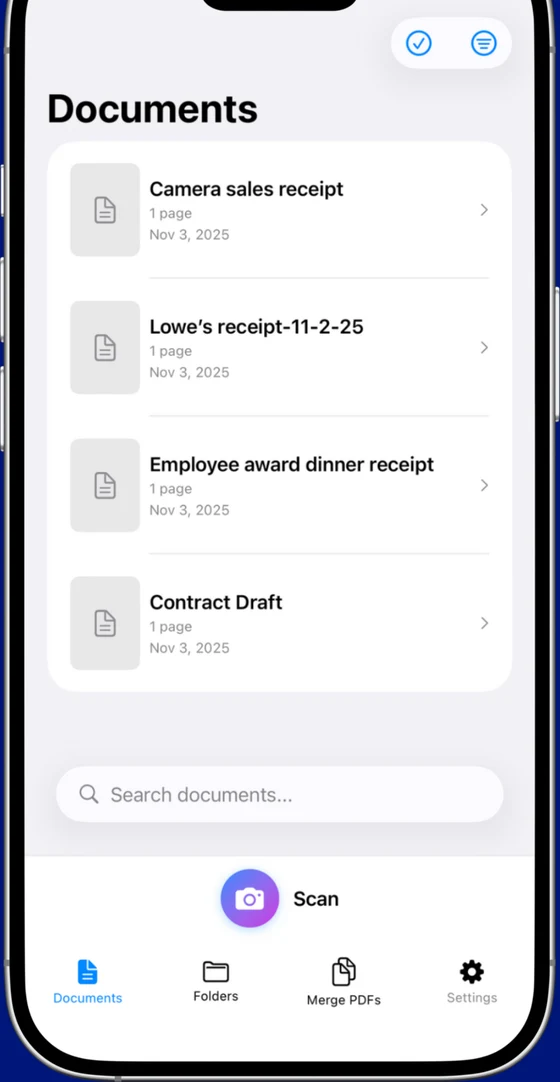
- Open your scanner app in Receipt mode. Don't use Document mode — the auto-crop algorithm is tuned for letter-sized pages and will chop the bottom off a long CVS receipt every time. Scaniva's Receipts mode is calibrated for the long, narrow shape and the contrast of thermal paper.
- Flatten the receipt. Lay it on a dark surface if you have one. Iron out the curl with your hand. Thermal receipts especially want to roll back up — and the curl confuses edge detection.
- Even lighting, no shadow. Don't shoot it with the iPhone directly overhead in bright sun — you'll cast a hand shadow across the total. Diffuse light from a window or a desk lamp is best.
- Capture and let OCR run. A good receipt scanner will extract vendor, total, and date automatically. Check those three fields before saving.
- Tag it. Category (meals, travel, supplies, software, mileage), client (if applicable), and project. Five seconds now saves twenty minutes at tax time.
- Save and toss. Once the scan is verified and tagged, the paper original can go. The legibility test is whether you can read the vendor name, date, total, and itemization in the scan.
Common mistakes that cost you at tax time
Mistake 1: Photographing receipts with the iPhone camera and dumping them into a Photos album. Photos are not OCRed, not categorized, and not searchable by amount or vendor. Come April, you're scrolling through 600 thumbnails looking for the Office Depot receipt from May.
Mistake 2: Scanning multiple receipts together in one photo. Even if your scanner can handle a "multi-receipt" scene, the OCR results get mixed and you lose the per-receipt tagging. One scan, one receipt.
Mistake 3: Skipping OCR. An image PDF is better than a thermal paper original, but it's not searchable. If your accountant asks "what was that $312 charge at Home Depot last March?", you want to be able to find it in five seconds, not five minutes.
Mistake 4: Only storing receipts in one place. The point of digital is durability. Once a month, export everything to a backed-up folder (iCloud Drive, Dropbox, or a local Time Machine drive — your choice). One backup is no backup.
Mistake 5: Letting receipts pile up for 3+ months. Thermal paper fades. Memory fades. The longer you wait, the more receipts become unrecoverable. The discipline isn't scanning carefully — it's scanning often.
What to export for your accountant
At year-end, your accountant typically wants two things:
- A spreadsheet with one row per receipt: date, vendor, amount, category, payment method, notes. CSV is the universal format.
- A folder of PDFs, one per receipt, named consistently — something like
2026-03-14_HomeDepot_57.43.pdfworks. If you ever need to back up the spreadsheet entry, the PDF is right there.
If your scanner app supports CSV export of OCR'd metadata, the spreadsheet writes itself. If not, you'll be transcribing by hand — which is exactly the work the scanner was supposed to save you.
What an audit-proof receipt scan looks like
If you ever do have to produce records for an IRS audit, a state sales-tax audit, or a client expense reimbursement dispute, the scan needs to show:
- Vendor name and address (legible, not cropped)
- Date of purchase
- Total amount, including tax
- Itemization showing what was purchased (especially for meals — "$87.00 at restaurant" is weaker than "$87.00 with itemized food, drinks, and tip")
- Payment method (last 4 of card, or "cash")
A receipt that has all five is solid documentation. One that's cropped, blurry, or missing the bottom can be challenged. Re-scan if the OCR'd total doesn't match what you can read with your eyes.
Scaniva has a Receipts mode built for this
Dedicated long-receipt crop, OCR in 14 languages, local-only storage, $12.99 one-time to unlock unlimited. Free tier lets you try the whole workflow first.
Download on the App StoreWhat about apps like Expensify and QuickBooks?
Expensify, QuickBooks Self-Employed, and similar services include receipt scanning as part of a bigger expense-tracking and tax-prep stack. If you want the all-in-one experience and don't mind a $5–$20/month subscription, those are reasonable choices.
What they're not optimized for: keeping your receipt images out of the cloud. Once you scan with Expensify, the image lives on Expensify's servers. For most receipts that's fine. For sensitive ones (medical co-pays, attorney fees, anything you'd rather not have on a third-party server) — scan locally with a tool like Scaniva and export the totals into whatever tracker you use.
FAQ
Can I throw away the paper receipt after scanning?
For most US tax purposes, yes — the IRS accepts legible digital copies as adequate documentation. Confirm with your accountant for your specific situation (some industries and states have additional retention rules).
How long should I keep receipt scans?
The IRS generally has 3 years to audit a return; 6 years if substantial understatement is alleged; indefinitely for fraud. Most accountants suggest keeping 7 years of records to be safe.
Does the scan need to be in color?
No. Black-and-white or grayscale is fine as long as the receipt is fully legible. Most scanner apps actually default to black-and-white for receipts because the contrast is better than color.
What's the best file format for receipts?
PDF with embedded OCR. JPG is fine for archival but isn't searchable. PNG is wasteful (large file size). Stick with PDF.
How do I scan a really long CVS receipt?
Two options: scan it in two overlapping sections and let the app stitch them together, or scan once with a scanner that supports extended-length receipts. Scaniva's Receipts mode auto-handles up to roughly 18 inches in a single pass.